
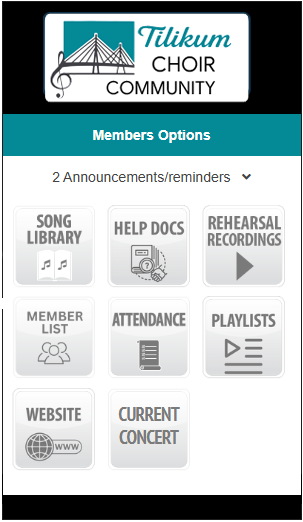
HarmonySite companion app. This website has a smartphone companion app that provides quick access to features that are most useful in a handheld device, so you don't need to log into this website via your phone's web-browser for such tasks.
ONLY AVAILABLE ON THE APP. There are two great features available only on this app:
- Variable speed audio playback. This is very useful to slow down or speed up the recording to enhance your practice. Read more.
- Playlists. You can listen and practice your own vocal part in your car! Build your own custom list of available song audio tracks. Playlists can be played off-line, when the internet is unavailable.
Install the App
This must be done just once.
FIRST, be sure you are reading this on your phone, not your laptop or desktop computer. If you are not, then, on your phone/tablet, bring up this webpage. (Go to your browser (e.g. Safari, Chrome, Edge, etc.), go the the tilikumchoir.org website and select the Members -> App menu option.)
THEN, download the FREE HarmonySite app from the Apple App Store or the Google Play Store, and complete the installation.


Initialize the App
Once the HarmonySite App is installed on your device,
- Open the app
- Click the button to add a new site
- When prompted, enter this exact address: www.tilikumchoir.org
THEN log in with your regular Tilikum Choir Community username and password (the one that you're currently logged in with). You will not be required to login again.
This completes the HarmonySite App installation and initialization. It is ready to go.